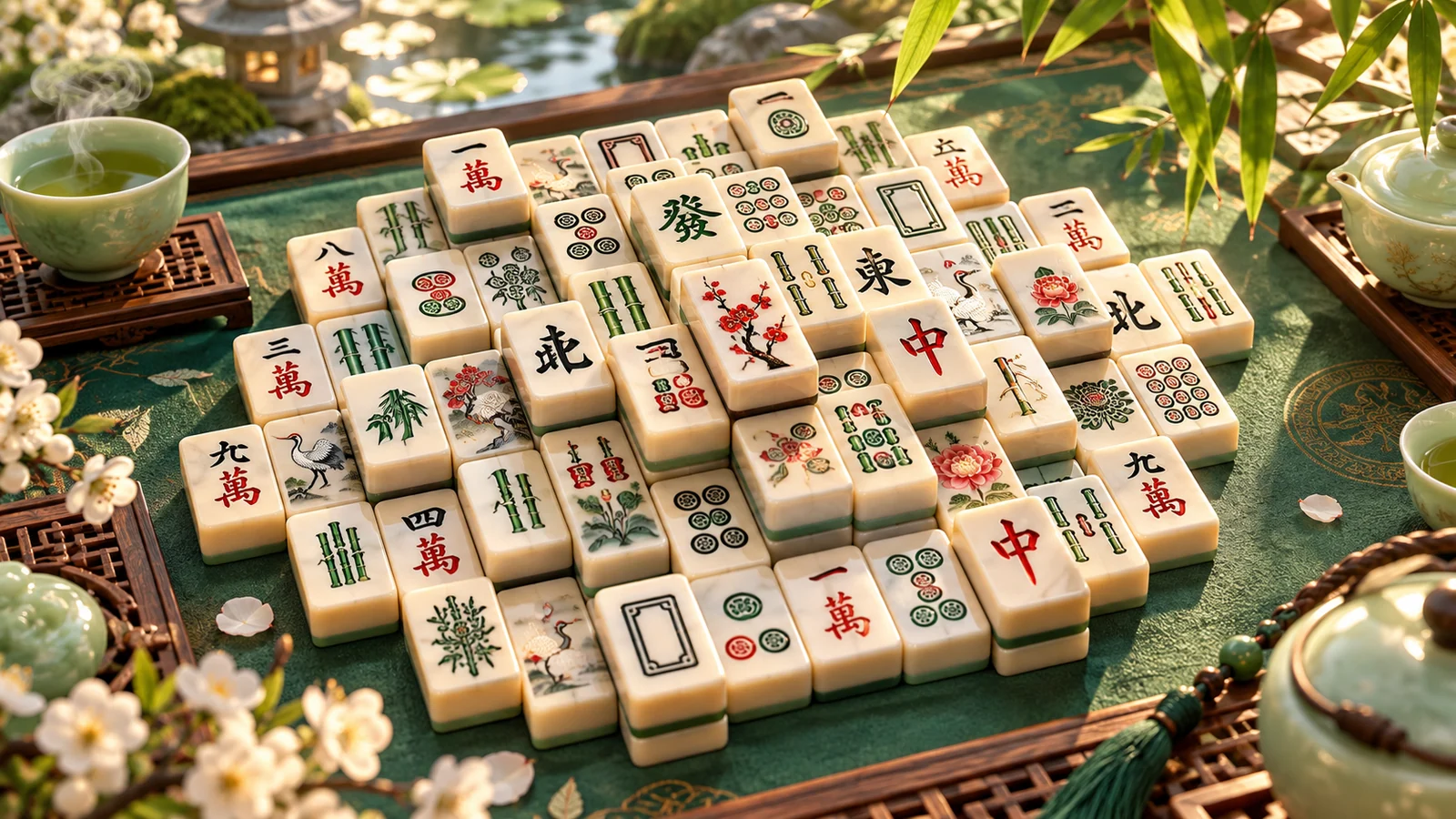



Game info
Mahjong solitaire, Tile matching
Explore Vita Mahjong pair matching, tile availability, layer-opening decisions and practical ways to find a useful order through each layout.
Vita Mahjong: a relaxing tile-matching game
Vita Mahjong is Vita Studio's mahjong solitaire puzzle about clearing a layered layout by removing available matching pairs. Identical pictures are only part of the challenge: a tile also needs to be accessible. The order of removal determines which edges open, which lower pieces appear and how many useful choices remain.
The game uses pair matching rather than the hand-building and opponent play of traditional four-player mahjong. The official Vita Mahjong website provides Vita Studio's play and download routes. Its readable tiles and straightforward presentation make the arrangement easy to inspect, while deeper decisions come from managing access. A useful pair does more than remove two familiar symbols: it releases a crowded area, reveals a concealed tile or creates the next available match. The sections below focus on making those decisions deliberately.
Gameplay Overview
A mahjong solitaire board is a layered arrangement of matching tiles. The immediate task is to identify an eligible pair, select it and inspect the space left behind. The longer task is to avoid removing convenient pairs in an order that leaves important matches trapped.
Look at availability before searching for identical pictures across the whole screen. A symbol under another tile or inside a blocked part of the layout may not be selectable yet. Once you distinguish currently usable tiles from future possibilities, the board becomes a smaller set of meaningful choices. This is where the strategy begins: compare the available removals by what they release, not simply by how quickly you recognise the artwork.

How to Play the First Board
On the first board, locate one visibly available tile and find its matching partner. Select both by tapping each member of the pair, then pause to inspect the changed area. Notice whether a lower layer has appeared, whether a neighbouring tile now has room, or whether the removal changes very little beyond the pair itself.
Build the opening habit around that before-and-after comparison. If you remove a pair from the top of a crowded stack, look immediately at the newly exposed tiles. If you remove two isolated edge pieces, check whether either side was holding another tile closed. The aim is not to clear randomly until the board becomes difficult. It is to recognise, from the first few moves, which parts of the arrangement are controlling access to the remaining matches.
Controls
Tap one available tile and then its matching partner to remove the pair. Choose the centre of each tile, particularly where layered edges place several positions close together. If a selection is not accepted, inspect availability rather than assuming that an identical picture makes every copy usable.
After a pair disappears, look directly at the spaces it occupied. A lower tile may now be exposed or a neighbouring piece may have gained a free edge. That local inspection is usually more efficient than restarting a full-board search immediately. Keep hints, undo and shuffle separate from ordinary selection: each tool changes your decision in a different way. Read its current prompt before use, and give yourself time to see what changed afterwards. Clear input and a consistent scan help you avoid repeatedly tapping a blocked pair while overlooking an accessible one nearby.
Key Features
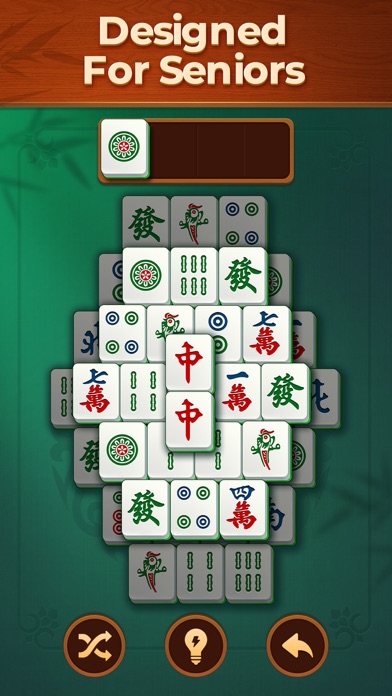
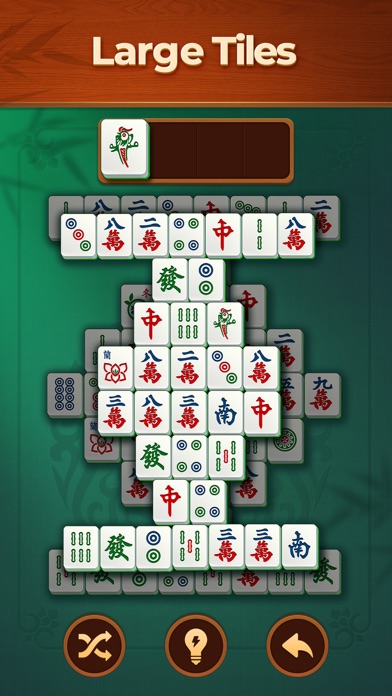
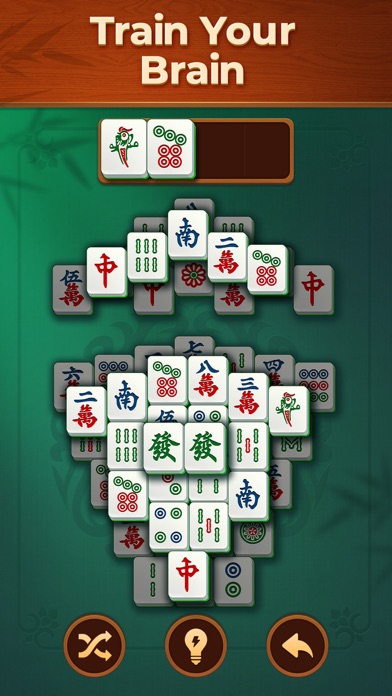
Vita Studio emphasises a clear interface, large tiles and readable presentation. Its official Android listing describes classic mahjong solitaire, matching tools and activities such as Daily Challenge and Active Mind. Readability makes the layout easier to inspect, while the remaining challenge is choosing a useful order of removal.
Large symbols help make a layered puzzle easier to inspect, but they do not remove its planning decisions. A good move still depends on which copies of a symbol you choose and what lies underneath them. Treat clarity as an invitation to notice more: the height of stacks, crowded edges and pairs that open several other positions. This gives the game a thoughtful pace without needing a time-pressure or competitive objective.
Understand Available and Blocked Tiles
Separate two questions: is the picture a match, and is the tile usable now? In mahjong solitaire, a matching pair can remain unavailable because part of the layout still blocks it. The game’s selection feedback is the immediate reference for that condition.
Plan around the obstruction. If a desired tile is covered, inspect which available pair would remove the covering tile. If a region is constrained from the sides, compare removals that release those edges. This turns a frustrating rejected selection into useful information about the board. You are not merely waiting for the matching symbol to appear; you are choosing which parts of the arrangement to open so that a future pair can become playable.
Pro Tips: Choose What a Pair Reveals
When two pairs are available, compare the access each creates. One might expose a concealed tile, while the other only clears an isolated corner. Opening a crowded stack can be more useful because it gives you additional information and future choices, but inspect the whole situation before turning that into a fixed rule.
For example, a top tile may hide the only accessible partner for a symbol you can already see elsewhere. Removing its pair could create an immediate next move. In another position, clearing an edge may release several neighbouring tiles. Think of a good pair as a door to another part of the puzzle. The best choice is the door that helps the remaining layout, not necessarily the pair closest to the pointer.
Deal with Repeated Symbols Carefully
Repeated symbols create a choice about which physical copies to remove. Two pairs showing the same picture can lead to different future boards because their positions differ. Do not automatically select the first two copies your eyes find.
Compare the available copies by what they are supporting, covering or keeping enclosed. Suppose one copy sits on a high stack and another is already isolated. Removing the stack copy may reveal more of the puzzle, while leaving it behind could keep a useful partner hidden. At the same time, avoid assuming every exposed match should be taken immediately if doing so spends a copy needed to free another region. The picture tells you that pieces match; position tells you why choosing one pair over another matters.
Build a Consistent Scanning Routine
Use the same scan pattern after each move so that you can recognise what has changed. One approach is to inspect the area of the last removal first, then sweep the available outer tiles and top layers in a consistent direction. This reduces the chance of repeatedly skipping the same region.
Keep currently blocked matches separate in your attention. It is easy to keep returning to a familiar symbol even though neither copy is selectable. A deliberate scan asks a narrower question: which matching pair can I use now, and what would it reveal? When a pair disappears, update that picture of availability rather than trying to remember the whole original layout. The puzzle becomes easier to follow when your search reflects the board that exists after the last move.
Hints, Undo and Shuffle
Hints, undo and shuffle solve different problems. A hint can show a legal match you have overlooked. Undo can let you reconsider a recent choice. Shuffle changes the arrangement rather than improving the access created by a particular pair. Read the current tool prompt before using it, including any condition or resource involved.
Use a hint as a learning opportunity: notice why the suggested tiles are available and what made them easy to miss. Use undo when you have a specific alternative to test, not simply to return to uncertainty. Before shuffling, complete a slow scan so you can distinguish a truly difficult position from a pair hidden in plain sight. These habits make assistance more useful than repeatedly pressing tools without learning what the board needed.
When No Pair Seems Available
If you cannot find a pair, stop scanning for a moment and rebuild the set of available tiles. Identify what can be selected now, then compare those symbols with one another. This is more effective than staring at a blocked matching pair and hoping the rules will accept it.
Check the newly exposed area from the previous move, the edges of crowded stacks and any tiles partly obscured by the visual arrangement. If the game indicates that no move remains, consider the tools it actually offers. A hard position is not automatically proof that you made the immediately previous move incorrectly; several earlier choices may have shaped the current access. Review the layout rather than making an unsupported promise that every deal can be solved by one fixed technique.
Challenges and Modes in Vita Mahjong
Vita Mahjong offers named activities beyond the basic matching boards, including Daily Challenge and Active Mind. Use the activity's own rules to decide whether you want a recurring challenge or a different kind of matching session. A title alone does not tell you how much time or attention a particular board will need.
The official Vita Mahjong iOS listing describes the installed game and its product features, including offline play. The same pair-selection habit remains useful across its layouts: identify accessible tiles, compare what each removal reveals and update your scan after the match. If a mode feels harder, inspect the shape and layering before increasing speed. More searching is not always the answer; a careful choice between repeated symbols can preserve a later match and make the rest of the board easier to finish.
Comfortable Sessions and Progress
A comfortable session is one in which the tiles and their available edges remain easy to distinguish. Position the board at a readable size, use the current sound settings you prefer and take a break when repeated searches stop producing clear observations. There is no need to turn a calm matching puzzle into a race that its current mode does not ask you to run.
Vita Studio describes its broader design focus on its official developer website. That presentation preference is different from a medical claim about what a game will do for a particular person. Enjoy the task for its own pattern recognition and planning. Progress can be as simple as noticing a useful stack-opening pair sooner or making a more deliberate choice between repeated symbols.
Similar Games
The similar mahjong browser games offer more matching layouts when you want another board. Compare whether a game uses pair removal, a collection tray, a timer or another rule before applying the same strategy. Tiles that share a traditional visual style do not necessarily share the same availability conditions.
For classic mahjong solitaire, look for arrangements that reward opening layers and managing access. If you prefer a faster pace, choose a timed mode that explicitly provides it. If the appeal is a clear, unhurried scan, begin with a board whose pieces are easy for you to read. Choosing by the actual matching system is more useful than assuming that every game containing the word mahjong follows the four-player table game or the same solitaire rules.
Browser games in this collection
- Mahjong Solitaire: Tile Blast — A pair-matching mahjong-solitaire board with a blast animation after a match. It remains a different rule set from three-tile tray puzzles.
- Tropical Tiles Mahjong — A tropical-themed pair-matching game whose catalogue mentions a timer. It is a timed alternative rather than a promise of the same pace as Vita Mahjong.
- Mahjong Solitaire Zodiac — Mahjong Solitaire Zodiac is a traditional pair-removal puzzle. Its published rules require matching identical open tiles: nothing may cover the top, and at least one long side must be free.
- Mahjong Solitaire World Tour — Mahjong Solitaire World Tour places traditional tile-pair puzzles within a journey through cities. The source requires matching unblocked tiles with an open edge and nothing above.
- Mahjong Solitaire Deluxe — Mahjong Solitaire Deluxe challenges the player to remove all pieces by choosing matching pairs. The appeal is a clear, traditional solitaire board rather than a story or action challenge.
- Solitaire Mahjong Classic 2 — Solitaire Mahjong Classic 2 uses the Shanghai-style pair-removal rules across a collection of layouts. The catalogue lists Ivory and Wooden tile skins, along with assistance such as Torch and Undo.
History, Updates and Helpful References
Vita Mahjong is published by Vita Studio. Its official website and store pages identify the supported releases and current product details. Exact event schedules and themed content can change, so this page concentrates on matching skills that do not depend on a temporary collaboration or reward.
When an update changes a tool or introduces a new rule, inspect the opening explanation before assuming the previous routine still applies. Keep the distinction between the classic pair-removal puzzle and any additional activity clear. The video and screenshots below provide visual context for the labelled release. Use them to recognise the presentation, while using the board you have opened to decide which tile is available and what your next pair should accomplish.
Enjoy the Next Clear Pair
Begin Vita Mahjong with one available pair and watch what its removal reveals. On the next decision, compare at least two possible pairs if the layout offers them. Ask which choice opens the crowded part of the board or exposes information you need.
As the board clears, maintain that habit rather than speeding up because fewer tiles remain. Repeated symbols can still require a choice about which copies to use. A clear scan, a deliberate pair and a quick inspection of the changed area create a satisfying rhythm for this mahjong solitaire puzzle. The goal is not merely to recognise identical pictures, but to choose an order that leaves the rest of the layout easier to finish.
Frequently asked questions
What is Vita Mahjong?
Vita Mahjong is Vita Studio’s mahjong solitaire puzzle. Clear a layered layout by selecting accessible matching pairs and choosing a removal order that opens useful tiles.
Is Vita Mahjong the traditional four-player mahjong game?
No. It is a mahjong solitaire style puzzle about clearing available pairs, rather than building hands against opponents.
Why won’t identical Vita Mahjong tiles match?
A matching tile may still be covered or blocked by the layout. Check availability and exposed edges as well as the picture shown on the tile.
Which Vita Mahjong pair should I remove first?
Compare what each pair opens. Revealing a lower layer or releasing a crowded edge can provide more useful choices than removing two isolated tiles.
How should I use Vita Mahjong hints, undo and shuffle?
Use a hint to find an overlooked legal pair, undo to reconsider a specific removal and shuffle when rearranging the remaining tiles is useful. Read the current resource or offer prompt before confirming.
Can I play Vita Mahjong offline?
The official store descriptions advertise offline support for the installed app. Download and installation require their usual connection.
Is Vita Mahjong only for older players?
Vita Studio emphasises large, readable tiles and senior-focused presentation. Other players who enjoy a clear, unhurried matching puzzle can also enjoy that style.
How can I stop overlooking available Vita Mahjong pairs?
Inspect the area changed by the last removal, then scan accessible edges and upper layers consistently. Avoid repeatedly searching among identical tiles that remain blocked.

Good game? Tell us.0
Share a tip, celebrate a high score, or tell us what you think. Keep it friendly.